

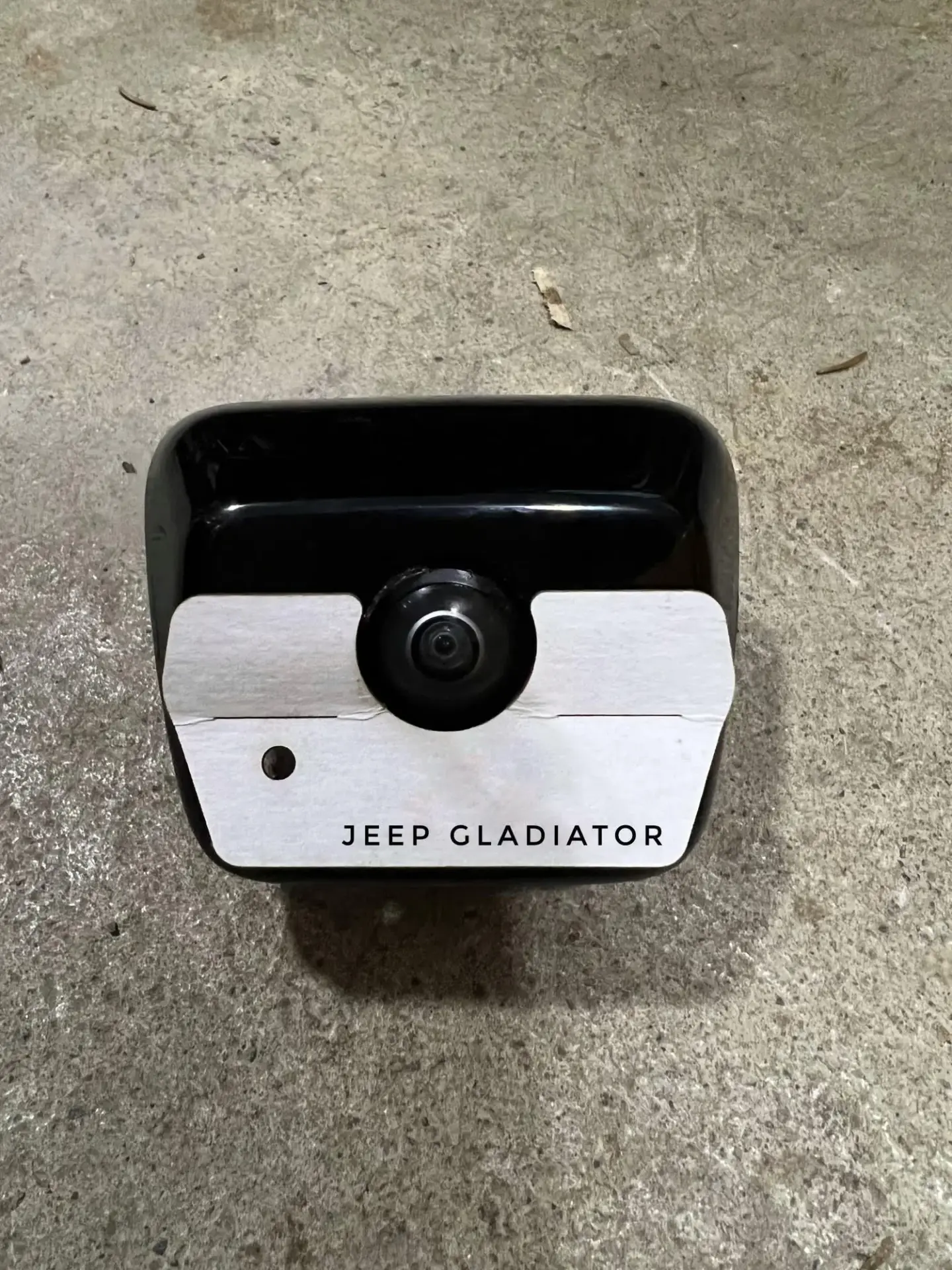
How the template lines up on the vehicle. Match the orientation shown and mark the small hole. Remove the camera housing completely before drilling.
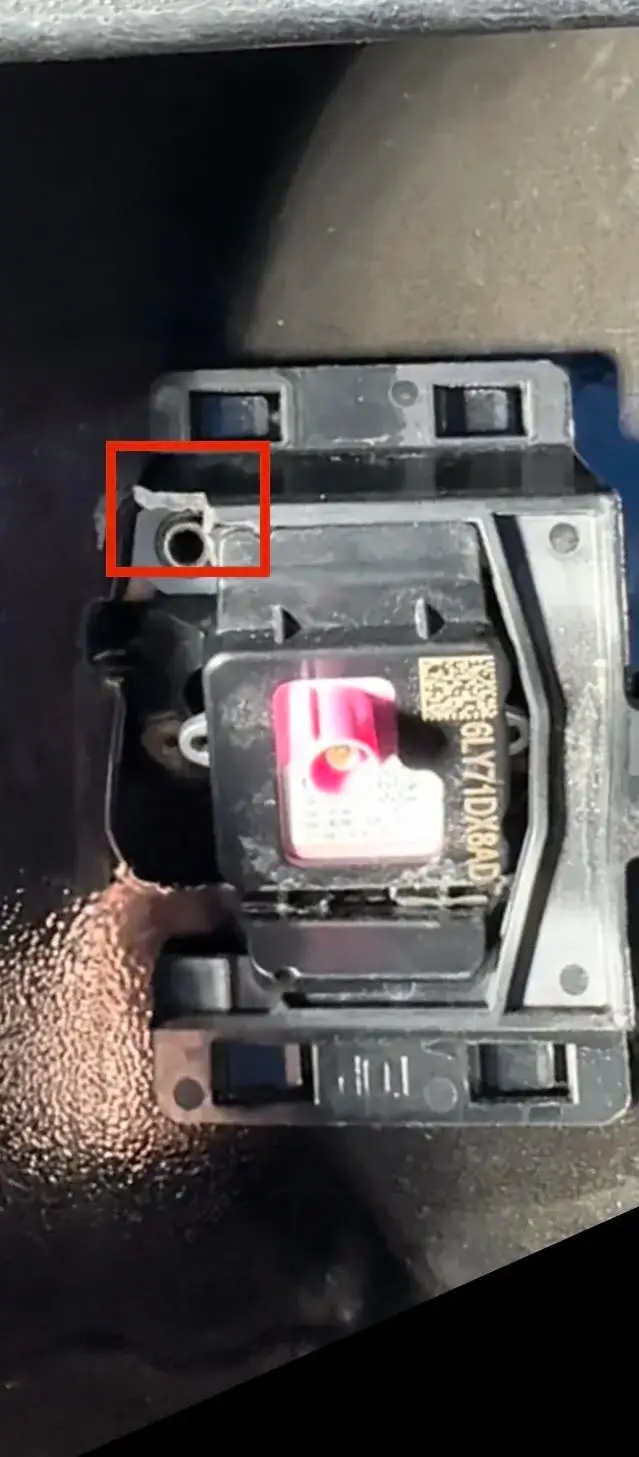
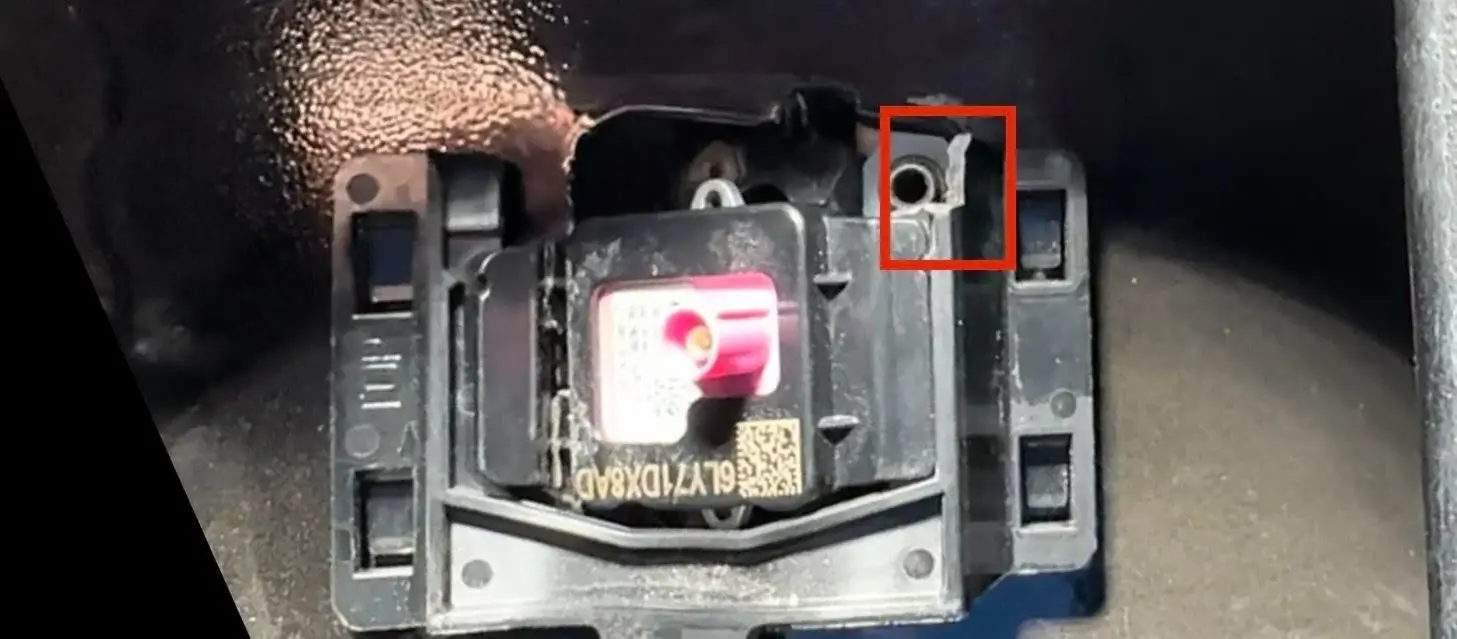
SPECIAL NOTE: Trim Retaining clip, to allow room for hose
Remove your ClearVU template from the kit and set to the side. Use template #14
Open the hood and locate the windshield wiper fluid line running to the front windshield wiper fluid nozzles.
Cut the rubber hose, and insert the provided T-Fitting into the existing hose.
Run the rubber hose, provided in your ClearVU kit, from the T-Fitting down to the wheel well and through the frame to the rear of the vehicle. (We recommend using a fish tape to pull the hose through the frame if possible or you can zip tie the hose along the frame all the way to the back).
Lower your tailgate and remove the panel to gain access to the camera housing.
Remove the camera housing and any connected wires. You will need to remove part of the flange as shown in the picture below; be sure to compare to picture to ensure you cut in the correct location. (We recommend using side cutters or a sharp razor blade to make the cut)
Using the correct template provided in your kit, place it on the camera housing as shown and make a small mark so you know where to drill.
Double check the template and the back of the camera housing to ensure proper placement before drilling. Drill a 5/16” hole where you have made a mark. (We recommend using a Step Drill if possible. If you do not have a step drill, start with a pilot hole and work your way up to a 5/16” drill)
Insert the ClearVU nozzle, provided in your kit, into the hole and secure it with the Nylon Nut. *Do not overtighten or nozzle could break* (We recommend using a socket and your fingers to hand tighten the nozzle. Be sure to tighten the nozzle pointing toward the camera.)
Run the hose through the electrical harness cutout found near the bottom of the tailgate (This is typically found toward the center of the tailgate). Route the hose into the tailgate and close to the camera housing.
Cut the hose roughly 3” – 8” away from the camera housing and insert the check valve(s) provided in your kit. *Be sure to align the Check Valve with the flow direction toward the camera. There is an arrow on the valve pointing in the direction of flow*
Connect a piece of hose from the check valve(s) to the nozzle and reinstall the camera housing back into the tailgate. *Be sure to connect any wires that have been disconnected*
Connect the hose at the front of the vehicle to the T-Fitting previously installed. (If you opted for a shut-off valve when purchasing your kit, be sure to add this close to the T-Fitting where you can access it)
TIME TO TEST! Before placing the panel back on your tailgate or closing the hood, it’s time to try out your ClearVU Camera Cleaner! Turn on your vehicle and apply your wiper fluid. It will take a few seconds to prime the hose, but soon you should see fluid coming out the nozzle. *You may have to slightly adjust the nozzle depending on the spray pattern using a wrench to turn it carefully*
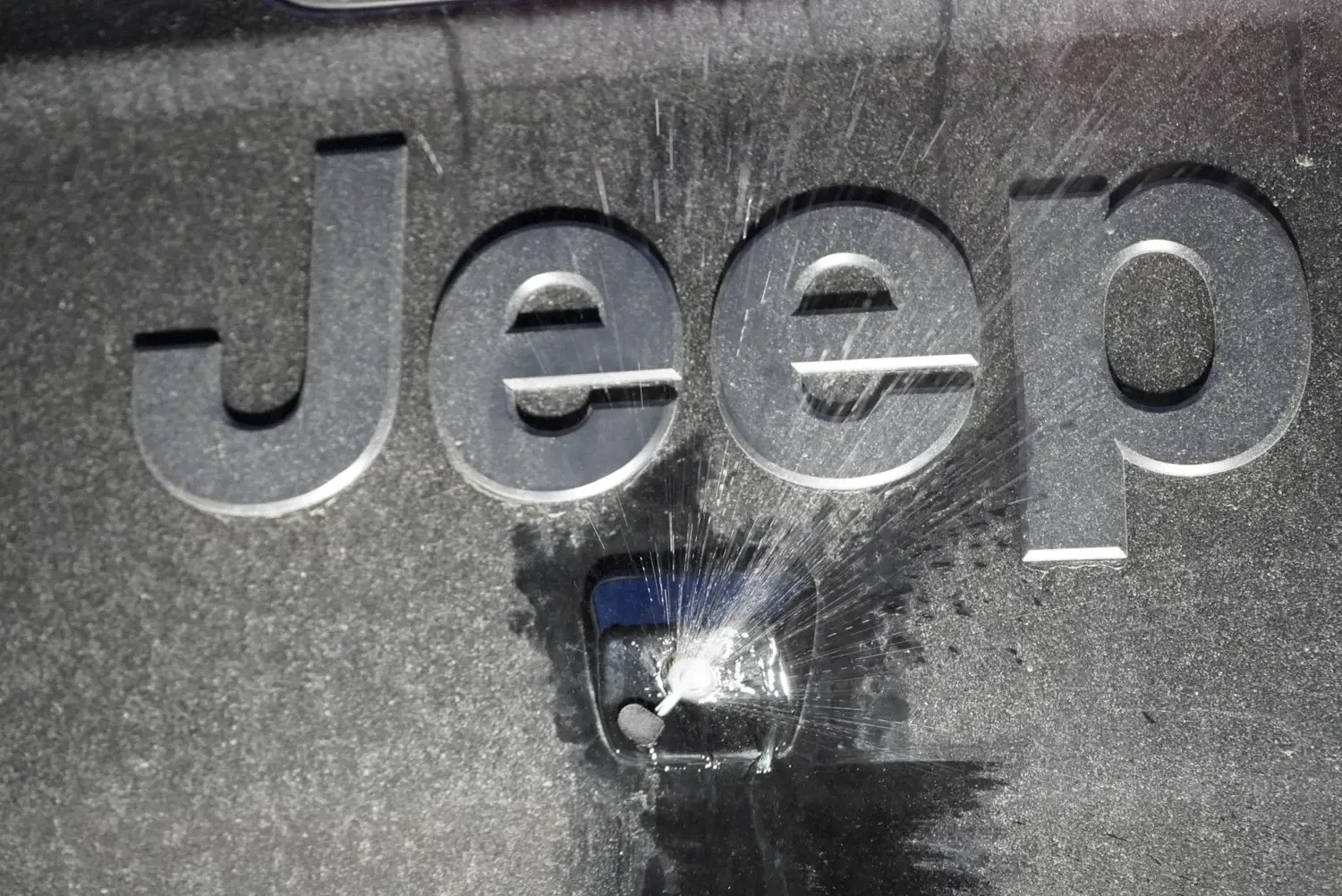
Once everything is installed, replace the tailgate panel and you are good to go! Enjoy your ClearVU!
Our team is happy to walk you through it. Call customer service at (716) 398-2246 or email customerservice@clearvucam.com.
Join our mailing list
Sign up for install tips, new kit drops and ClearVU-only deals. We'll email your code right away.
You're in
Use it at checkout for 10% off your first kit. We also emailed it to you. Check your inbox (or Promotions tab) for your code.
Find my kit